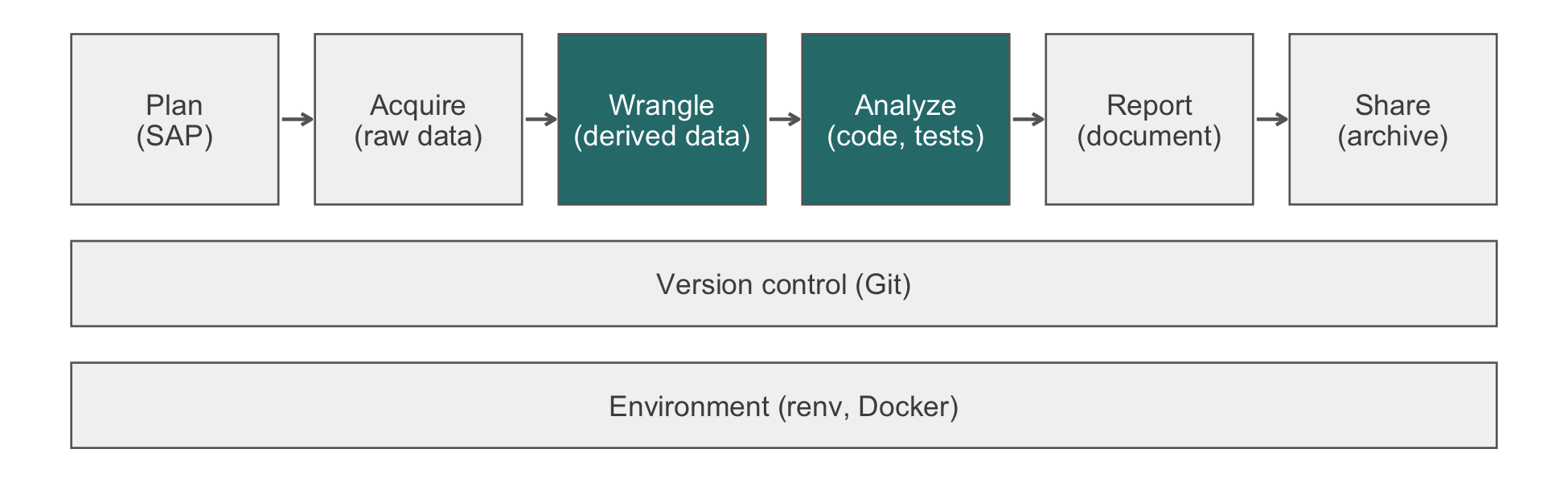
14 Writing and Debugging Functions
A teammate asks for the 30-day event rate at each of the five HF-HOME sites, one number per site, for a Monday-morning slide. You write a short function that filters to a site and summarizes the outcome, loop it over a vector of site names copied from last week’s report, and build the slide from whatever comes back. The slide shows 1 number where there should be 5: two sites print nothing, one prints the wrong one twice, and nothing in the console says an error occurred, because nothing errored. The bug is not in the data; HF-HOME’s canonical site labels are exactly "Site A" through "Site E". The bug is in four characters of casing and whitespace copied from a source that writes them differently, inside a function that returns nothing at all when a site matches zero rows, and inside a loop that quietly discards whatever that function returns. Finding it does not require rereading the function more carefully; it requires tools built for exactly this, and this chapter is about using them before the slide ships, not after someone asks why Site D has no number.
Debugging is twice as hard as writing the code in the first place. Therefore, if you write the code as cleverly as possible, you are, by definition, not smart enough to debug it.
Brian W. Kernighan and Rob Pike, The Practice of Programming (1999)
NoteIn this chapter
Reading time. About 45 minutes.
You’ll need. Chapter 12 for the dplyr verbs this chapter reuses, Chapter 13 for the messy site labels in the running example, and Section 27.2 for the tinytest assertions the last section connects to. The code uses:
and calls tinytest with its namespace. All three packages are installed in this book’s environment.
You’ll be able to.
- Write a function with named arguments, defaults, and
..., and say what it returns without writingreturn(). - Explain what a closure captures and predict what happens when the data a closure captured changes after the closure was created.
- Choose between
purrr::map()and a baseforloop orsapply()for a given iteration, and say what each one does with an error or a missing result. - Use
traceback(),browser(), anddebugonce()to find the line in your own function that produced a wrong answer, and know whenoptions(error = recover)is the better tool. - Raise an error with
rlang::abort()that carries a class and a data payload, and read whatrlang::last_trace()adds overtraceback(). - Test a function in isolation from the pipeline that calls it.
Outline.
NoteSkip ahead?
If these answers come quickly, skip to the next chapter. The answers are in Section 14.12.
- A function has no explicit
return()anywhere in its body. What does it return when called? -
purrr::map()always returns a list of the same length as its input, even when the function it calls returnsNULLfor one element. Aforloop that doesresult[[i]] <- f(x[i])does not always have that property. Why not? - What does
rlang::abort()let you attach to an error thatbase::stop()does not, and what is it for?
14.1 Why write a function at all
The case for a function in a general-purpose program is reuse: a function called from ten places saves nine copies of the logic. A one-off data analysis calls almost nothing from ten places, so that argument understates the case and, read uncharitably, seems not to apply at all. The sharper argument is not about reuse; it is about correction and verification. A computation written out five times, once per site, is five places a bug can hide and five places you must remember to fix it when the computation changes. A computation written once as a function, called five times, is one place to fix a bug and one place to write a test. The acronym for this is DRY (don’t repeat yourself), and the reason it survives as advice is not elegance; it is that the alternative multiplies the cost of being wrong by however many times you copied the code before you noticed.
site_event_rate() below computes the 30-day event rate for one HF-HOME site, joining the randomization table to the outcomes table once outside the function and filtering inside it:
library(dplyr)

hf_dir <- file.path("..", "data", "raw_data", "hfhome")
read_hf <- function(file) {
  readr::read_csv(file.path(hf_dir, file),
                  col_types = readr::cols(patient_id = "c",
                                          .default = "?"))
}
hf_rand <- read_hf("randomization.csv")
hf_outcomes <- read_hf("outcomes.csv")
hf_events <- inner_join(hf_rand, hf_outcomes, by = "patient_id")

site_event_rate <- function(data, site_name) {
  site_data <- filter(data, site == site_name)
  if (nrow(site_data) > 0) {
    summarize(site_data, n = n(),
              event_rate = mean(event_30d, na.rm = TRUE))
  }
}

site_event_rate(hf_events, "Site A")
#> # A tibble: 1 × 2
#>       n event_rate
#>   <int>      <dbl>
#> 1   700      0.206
Later in this chapter the function above turns out to have a bug. That is deliberate: the point of writing it as a function is not that this version is correct, but that when it is found to be wrong, the fix is one edit in one place, and the five call sites that use it are automatically fixed along with it. Five copies of the filter()-then-summarize() logic, one per site, would need five edits, made correctly, in the same afternoon, with no mechanical way to confirm that all five were actually changed.
NoteCheck
Question. A colleague argues that a function is not worth writing for code that will run exactly once, on one dataset, and never again. Under what condition are they right, and how often does that condition actually hold for an analysis script?
Answer. They are right only if the code genuinely runs once, with no bug ever found in it and no reviewer ever asking for a variant. For most analyses that condition does not hold: an exclusion is revised, a reviewer asks for a sensitivity analysis on a second subgroup, or a bug is found after the fact and must be fixed everywhere the faulty logic was pasted. ‘Runs once’ describes how the script is invoked, not how many times its logic turns out to matter; the same observation motivates testing an analysis (Section 27.1).
14.1.1 Exercises
- Below is the same site-level computation written three times, once per site, with a copy-paste error in the third copy (it filters on
event_30d == 1instead of computing a rate). Rewrite it as one function called three times, and explain why the function form makes the error impossible to introduce silently in only one call.
a <- filter(hf_events, site == "Site A")
a <- summarize(a, n = n(), event_rate = mean(event_30d, na.rm = TRUE))
b <- filter(hf_events, site == "Site B")
b <- summarize(b, n = n(), event_rate = mean(event_30d, na.rm = TRUE))
e <- filter(hf_events, site == "Site E")
e <- summarize(e, n = sum(event_30d == 1, na.rm = TRUE))
NoteSolution
site_rate <- function(data, site_name) {
  site_data <- filter(data, site == site_name)
  summarize(site_data, n = n(),
            event_rate = mean(event_30d, na.rm = TRUE))
}
site_rate(hf_events, "Site A")
#> # A tibble: 1 × 2
#>       n event_rate
#>   <int>      <dbl>
#> 1   700      0.206
site_rate(hf_events, "Site B")
#> # A tibble: 1 × 2
#>       n event_rate
#>   <int>      <dbl>
#> 1   571      0.246
site_rate(hf_events, "Site E")
#> # A tibble: 1 × 2
#>       n event_rate
#>   <int>      <dbl>
#> 1   290      0.213
The error in the pasted version (counting events rather than a rate) is possible only because the third copy has its own, independently editable body. Once there is one function, every call shares the same body, so a mistake made while editing it would show up at every call site, not silently at one of three.
14.2 Anatomy of an R function
A function definition has four parts: a name to call it by, arguments it accepts, a body that computes something from them, and a value it returns. site_event_rate has two arguments, data and site_name, neither with a default, so both must be supplied at every call. Adding a default makes an argument optional:
site_event_rate <- function(data = hf_events, site_name) {
  site_data <- filter(data, site == site_name)
  if (nrow(site_data) > 0) {
    summarize(site_data, n = n(),
              event_rate = mean(event_30d, na.rm = TRUE))
  }
}
site_event_rate(site_name = "Site B")
#> # A tibble: 1 × 2
#>       n event_rate
#>   <int>      <dbl>
#> 1   571      0.246
A default is evaluated lazily: R does not compute hf_events when the function is defined, only when the function is called and data is needed and no value was supplied for it. This matters when a default refers to another argument, as ... (dots) does in the next example. ... collects any number of additional, unnamed-in-the-signature arguments and forwards them, which is how a wrapper function can pass extra options through to the function it calls without naming every one of them in its own signature:
na.rm = TRUE is not an argument summarize_outcome() names; it passes through ... to mean() unchanged. The convenience has a cost: a misspelled argument, na.rn = TRUE, is silently absorbed by ... and forwarded to mean(), which also does not recognize it and silently ignores it, rather than erroring at the call where the typo actually is. Prefer naming an argument explicitly over catching it in ... whenever the function has a small, known set of options to expose.
Implicit return. R returns the value of the last expression evaluated in the function body; return() is needed only to exit early, before the last line, typically from inside a condition. site_event_rate() above never calls return(); its value is whatever its final if evaluates to, which is why the branch with no else is dangerous: when the condition is false, the if itself evaluates to NULL, and that NULL is what the function returns, with nothing marking it as a special case.
is.null(site_event_rate(hf_events, "nonexistent site"))
#> [1] TRUE
A function that reaches the end of its body with nothing left to evaluate also returns NULL, invisibly; this is almost never the intended value and is one of the two or three most common sources of a NULL that propagates quietly into something downstream (the other common source is exactly what happened above, a conditional with no else).
WarningPitfall
An if with no else is a return(NULL) with no evidence that you meant to write one. Writing the else branch explicitly, even if only to raise an error or return NA, turns a silent default into a choice you can see later, in the function and in a diff.
NoteCheck
Question. f <- function(x, verbose = FALSE) { if (verbose) print(x); x + 1 } is called as f(5). What does it print, and what does it return?
Answer. It prints nothing, because verbose defaults to FALSE and the print(x) branch is skipped. It returns 6: the function’s value is the value of its last expression, x + 1, regardless of what the if above it did or did not print. The if (verbose) print(x) line is evaluated for its side effect (printing) and its value, here invisibly NULL when verbose is FALSE, is discarded because it is not the last expression in the body.
14.2.1 Exercises
- Write
event_rate_or(), which takesdata,site_name, and a third argumentdefaultwith no default value of its own set in the signature, and returnsevent_rate_or()’s usual computation when the site has rows, ordefaultwhen it does not. Call it once supplyingdefault = NA_real_and once with no third argument at all, and explain the second call’s error in terms of lazy evaluation.
NoteSolution
event_rate_or <- function(data, site_name, default) {
  site_data <- filter(data, site == site_name)
  if (nrow(site_data) == 0) return(default)
  mean(site_data$event_30d, na.rm = TRUE)
}
event_rate_or(hf_events, "nonexistent site", default = NA_real_)
#> [1] NA
event_rate_or(hf_events, "nonexistent site")
#> Error in `event_rate_or()`:
#> ! argument "default" is missing, with no default
default has no default value, so it is a promise with nothing to evaluate. The promise is never forced on the first call, because site_name matches and return(default) is never reached. On the second call the site is missing, return(default) is reached, R tries to evaluate the promise for default, and finds no value and no expression to compute it from, raising ‘argument “default” is missing, with no default’. Lazy evaluation means an unsupplied argument with no default is not an error until the moment it is actually needed.
14.3 Scoping and closures
R looks up a name a function uses, but does not define as an argument or a local variable, in the environment where the function was created, not the environment where it is called. This is lexical scoping, and the environment a function remembers at creation, together with the function itself, is a closure. The distinction matters the moment a function returns another function, which is exactly how a function factory works: make_rate_fn() below takes a data frame and returns a function that computes a site’s event rate against that specific data frame, without data appearing in the returned function’s own argument list:
make_rate_fn <- function(data) {
  function(site_name) {
    site_data <- filter(data, site == site_name)
    mean(site_data$event_30d, na.rm = TRUE)
  }
}

rate_all_arms <- make_rate_fn(hf_events)
hf_events_uc <- filter(hf_events, arm == "Usual care")
rate_usual_care <- make_rate_fn(hf_events_uc)

c(all_arms = rate_all_arms("Site A"),
  usual_care_only = rate_usual_care("Site A"))
#>        all_arms usual_care_only
#>        0.206422        0.218845
Each call to make_rate_fn() creates a fresh execution environment holding its own data, and the function it returns carries that environment with it wherever it is called from next, which is why rate_all_arms() and rate_usual_care() disagree about Site A without either one taking a data argument that could be confused with the other’s. The binding is also frozen at the moment make_rate_fn() evaluated its argument, not tied to whatever the name hf_events happens to point to later:
hf_events <- filter(hf_events, FALSE)   # pretend it got emptied
rate_all_arms("Site A")                 # unaffected
#> [1] 0.206422
rate_all_arms() still reports the original rate, because reassigning hf_events in the global environment changes what that name points to, not the value already captured inside rate_all_arms()‘s own enclosing environment. This is reassuring when you want it (a report built from functions created earlier in a session is not retroactively altered by a later, unrelated reassignment) and disorienting when you do not expect it (a function you believe uses ’the current cleaned data’ may in fact be using a snapshot from whenever it was created, and source()-ing the cleaning step again does not update it). The practical consequence (Wickham, 2019, ch. 7) is to treat a closure’s captured data as a value fixed at creation, and to rebuild the closure, not merely rerun the script around it, whenever the data it closed over changes.
NoteCheck
Question. counter <- local({ n <- 0; function() { n <<- n + 1; n } }) creates a function with no arguments. Calling counter() three times in a row returns 1, 2, 3. Where does the state n live between calls, given that counter() has no arguments and no global variable named n is visible at the top level?
Answer. n lives in counter’s enclosing environment, created once by local() and captured when the function was defined. <<- (superassignment) modifies n in that enclosing environment rather than creating a local copy inside the call, so each call sees and updates the same n the previous call left behind. ls(environment(counter)) shows n living there, invisible from the top level precisely because local() discarded every other name created alongside it.
14.3.1 Exercises
- Write
make_threshold_flagger(cutoff), returning a function that takes a numeric vector and returnsTRUE/FALSEfor values abovecutoff. Createflag_high_bnp <- make_threshold_flagger(1000)andflag_very_high_bnp <- make_threshold_flagger(5000), and show that changingcutoffin your own session afterward does not change either function’s behavior.
NoteSolution
make_threshold_flagger <- function(cutoff) {
  function(x) x > cutoff
}
flag_high_bnp <- make_threshold_flagger(1000)
flag_very_high_bnp <- make_threshold_flagger(5000)
bnp <- c(200, 1200, 6000)

cutoff <- 0   # a later, unrelated reassignment of the same name
rbind(high = flag_high_bnp(bnp), very_high = flag_very_high_bnp(bnp))
#>            [,1]  [,2] [,3]
#> high      FALSE  TRUE TRUE
#> very_high FALSE FALSE TRUE
Each call to make_threshold_flagger() created its own execution environment with its own binding for cutoff, captured by the function it returned. The later line cutoff <- 0 creates or changes a binding in the global environment, which neither returned function looks up, because each one looks up cutoff in the environment where it was defined, not in the caller’s environment.
14.4 Iteration: map over for
The opening story’s bug is visible once the loop that computes it is written two ways. The first version loops over site labels taken from last week’s report, which (as Chapter 13 established) mixes the canonical "Site A" with casing and whitespace variants of the other four, and assigns each result into a list with [[<-:
Four of the five labels do not exactly match a value in hf_rand$site, so site_event_rate() returns NULL for each. Assigning NULL to an element of a list with result[[i]] <- NULL does not store a NULL; it deletes that element, shifting every later index down. The loop above runs five times and the list it builds has length 1, with no error and no warning, because every step of it, individually, is legal R. purrr::map() behaves differently on the same inputs:
map() always returns a list the same length as its input, one element per call, and a NULL result is stored as a NULL element, visible at its own position with the label that produced it still attached. The length-5 list with four visible NULLs is not a nicer-looking version of the same information; it is the only one of the two that shows you there is a problem, and where. sapply() sits between the two, and its behavior depends on what it is given back: when the results are not all the same type and length, as here, simplify = TRUE fails silently and sapply() quietly returns a list, exactly like map(); when the results would simplify, sapply() returns a vector or matrix instead of a list, and the type of what you get back changes depending on data you have not seen yet. map() never does this: its return type is part of its contract, not a function of the input.
Table 14.1 summarizes the three.
for (result[[i]] <- f(x[i])) |
sapply() |
purrr::map() |
|
|---|---|---|---|
| Length of result | Can shrink if f() returns NULL
|
Can shrink the same way inside its own loop | Always equals length(x)
|
| Return type | Whatever you built | Vector, matrix, or list, decided after the fact | Always a list |
| On an error | Stops the whole loop immediately | Stops the whole call immediately | Stops, unless wrapped (below) |
A second, distinct hazard appears once the function can actually raise an error rather than quietly returning NULL. The stricter version below refuses an unmatched site instead of returning nothing:
A for loop over the same five labels stops entirely at the first failure, having processed only the sites before it:
purrr::possibly() wraps a function so that an error is caught and replaced with a stand-in value, letting the iteration continue through every element:
purrr::safely() is the same idea with nothing discarded: instead of a stand-in value, it returns, per element, a list with result and error, so that a later step can see exactly which calls failed and why, rather than only that they did. Reach for possibly() when a stand-in value is an acceptable answer (a missing site becomes NA, dropped from a later mean()); reach for safely() when you need to inspect or report the failures themselves, for example to tell a teammate which sites to investigate before rerunning anything.
TipVerification
Confirm that possibly()’s catch is per-element, not all-or-nothing, by counting how many of the five calls actually failed versus succeeded:
One call (the exact match, "Site A") succeeds and four fail, matching the four casing and whitespace mismatches in site_labels; a for loop over the strict function would have told you only that something, at or before the second element, failed.
NoteCheck
Question. Why does the for-loop version earlier in this section end up with a list of length 1 rather than, say, length 4 with the NULLs simply missing from wherever they would have gone?
Answer. result[[i]] <- NULL does not skip an assignment; it removes element i if one exists, and inserts nothing if it does not, so the list never grows past the last successful assignment and nothing after it ever gets written. Here only the first of five iterations ("Site A") succeeds, so the list has exactly one element (the second iteration deletes the nonexistent second element, a no-op, and so do the third through fifth), and its length tells you nothing about which four sites were skipped, unlike map()’s length-5 list with the failures visible by position.
14.4.1 Exercises
- Rewrite the
for-loop version from earlier in this section so that it has the same length guarantee asmap(): preallocate the result list and assign by name rather than by[[<--ing a possibly-NULLvalue into a growing list.
NoteSolution
for_fixed <- vector("list", length(site_labels))
names(for_fixed) <- site_labels
for (i in seq_along(site_labels)) {
  for_fixed[site_labels[i]] <- list(site_event_rate(hf_events, site_labels[i]))
}
length(for_fixed)
#> [1] 5
for_fixed
#> $`Site A`
#> NULL
#>
#> $`site b`
#> NULL
#>
#> $`SITE C`
#> NULL
#>
#> $` Site D`
#> NULL
#>
#> $`Site E `
#> NULL
vector("list", n) preallocates a length-n list of NULLs, and for_fixed[site_labels[i]] <- list(...) uses single-bracket assignment with a one-element list on the right, which replaces an element in place rather than deleting it. The length is now guaranteed by the preallocation, independent of what any call returns. The fix does not make the underlying bug (the mismatched labels) go away; it only stops a second bug (the shrinking list) from hiding the first one.
- Using
map_dbl()instead ofmap(), compute the event rate (not a summary data frame) for every HF-HOME site using the correct, canonical labels, and explain whymap_dbl()is a better choice thanmap()here if you intend to pass the result straight intoggplot2.
NoteSolution
map_dbl() requires every call to return a length-one numeric value and fails loudly at the first call that does not, rather than returning a list that a plotting function would have to be coerced out of first. For a result bound for a numeric column, that extra constraint turns a type mismatch into an error at the point it happens, rather than a confusing message three steps later inside ggplot2.
14.5 Debugging your own code
The tools in this section assume an interactive R session; a book rendered in one batch process cannot pause for you, so each tool is shown as a console transcript rather than an executed chunk, except where the condition can be reproduced and captured without a pause. Read the transcripts as what you would see typing the same lines at your own prompt, immediately after the error they follow.
traceback(): after the fact. When an uncaught error stops a top-level command, R keeps the sequence of calls that led to it until the next command runs. traceback() prints that sequence, most recent call first, which tells you exactly which function in the chain actually called stop() and which functions merely called it:
> site_event_rate_strict(hf_events, "site b")
Error in site_event_rate_strict(hf_events, "site b") :
  no rows found for site 'site b'
> traceback()
1: site_event_rate_strict(hf_events, "site b")
For a one-level call like this one, traceback() adds little; its value grows with the depth of the call stack. Reusing the wrapper from Section 14.4, where possibly() wraps site_event_rate_strict() and map() calls the wrapper, a failure three frames down produces:
> map(site_labels, site_event_rate_strict, data = hf_events)
Error in site_event_rate_strict(data = hf_events, dots[[1L]][[2L]]) :
  no rows found for site 'site b'
> traceback()
4: site_event_rate_strict(data = hf_events, dots[[1L]][[2L]])
3: .f(.x[[i]], ...)
2: map(site_labels, site_event_rate_strict, data = hf_events)
1: (function() map(site_labels, site_event_rate_strict, data = hf_events))()
Frame 4, the one at the top, is where the error was actually raised; everything below it is who called whom to get there. Read a traceback() from the top down and stop at the first frame that is your own code and not a library internal, because that is almost always the frame whose assumption was violated.
browser(): a breakpoint you write into the body. Inserting browser() as a line inside a function pauses execution there, the next time the function runs, and drops you into an interactive prompt with that call’s local variables in scope:
site_event_rate <- function(data, site_name) {
  site_data <- filter(data, site == site_name)
  browser()
  if (nrow(site_data) > 0) {
    summarize(site_data, n = n(), event_rate = mean(event_30d, na.rm = TRUE))
  }
}
site_event_rate(hf_events, "site b")
Called from: site_event_rate(hf_events, "site b")
Browse[1]> nrow(site_data)
[1] 0
Browse[1]> site_name
[1] "site b"
Browse[1]> unique(data$site)
[1] "Site A" "Site B" "Site C" "Site D" "Site E"
Browse[1]> c
The Browse[1]> prompt accepts ordinary R code evaluated in the function’s own execution environment, plus a few one-letter commands: n steps to the next line, c continues to completion (or the next browser()), and Q aborts back to the top level. nrow(site_data) being 0 while unique(data$site) plainly does not contain "site b" is the bug, seen directly rather than inferred from a stack trace. Remove the browser() line once you are done; it is easy to leave one in a committed file by accident, and a reviewer who hits it has no idea why their session froze.
debugonce(): the same pause, with nothing left behind. debugonce(f) sets a breakpoint at the start of f() for exactly its next call, then removes itself, so you never edit the function’s source to insert or delete a browser() line:
> debugonce(site_event_rate)
> site_event_rate(hf_events, "site b")
debugging in: site_event_rate(hf_events, "site b")
Browse[2]> n
Browse[2]> n
Browse[2]> nrow(site_data)
[1] 0
Each n steps one line further into the function body, stopping before it executes, which is the natural tool when you want to watch a function’s state evolve statement by statement rather than jump straight to one line. debug(f) is the same idea without the ‘once’: it stays armed until you call undebug(f), useful while you are actively iterating on a function but easy to forget and leave armed afterward.
options(error = recover): a menu instead of a single pause. Set globally, it intercepts every uncaught error in the session and offers a menu of frames to enter, rather than requiring you to have predicted which function would fail and instrumented it in advance:
> options(error = recover)
> map(site_labels, site_event_rate_strict, data = hf_events)
Error in site_event_rate_strict(data = hf_events, dots[[1L]][[2L]]) :
  no rows found for site 'site b'

Enter a frame number, or 0 to exit

1: map(site_labels, site_event_rate_strict, data = hf_events)
2: .f(.x[[i]], ...)
3: site_event_rate_strict(data = hf_events, dots[[1L]][[2L]])

Selection: 3
Called from: eval(expr, p)
Browse[1]> site_name
[1] "site b"
It is the right tool when you do not yet know which function is at fault, which is most real debugging; browser() and debugonce() are the right tools once you already suspect one. Reset it with options(error = NULL) when you are done, or it stays armed for the rest of the session and surprises the next person who sees your .Rprofile.
ImportantLLM prompt
An agent can narrow where to look before you open the debugger yourself.
Context.
site_event_rate(), defined in this session, returns a data frame for a site that matches rows andNULLotherwise. Called in a loop overc("Site A", "site b", "SITE C", " Site D", "Site E ")againsthf_events, it should produce five rows, one per site.Constraints. Do not modify
site_event_rate(). Investigate only by running read-only R code (inspecting values, not editing files) in this session.Criteria. For each of the five labels, report whether
filter(hf_events, site == label)returns zero rows or more than zero, and if zero, show the exact character-by-character difference between that label and the value inunique(hf_events$site)it was meant to match.
Failure mode. An agent asked to ‘fix the bug’ instead might edit filter() to match case-insensitively and call it done, which repairs this one symptom while leaving the underlying problem, that two different tables disagree on how to write a site name, both undiagnosed and undocumented. Check. Confirm the agent’s report names all four mismatches (casing on two, leading or trailing whitespace on two) rather than stopping at the first one, and that it changed no file; the fix belongs in a decision about which table is the source of truth for site labels, not in a case-insensitive patch.
NoteCheck
Question. You set options(error = recover), trigger an error, and the menu lists five frames. Which one should you enter first?
Answer. Usually the deepest frame that is still your own code, not a library internal. The error is raised at the bottom of the list (the most recently called function), but the state most useful to inspect is often one or two frames up, at the point your code called into a library function with an argument that was already wrong. Entering the exact frame that called stop() tells you what failed; entering the frame above it often tells you why.
14.5.1 Exercises
- Using
browser(), find whyclean_sbp()below returns-99for one value instead ofNA. (Hint: the condition compares a trimmed string against an untrimmed one.)
clean_sbp <- function(x) {
  trimmed <- trimws(x)
  x[trimmed == "-99 "] <- NA
  as.numeric(x)
}
clean_sbp(c("120", "-99 ", "-99"))
NoteSolution
Inserting browser() after the trimmed <- trimws(x) line and inspecting trimmed shows it is c("120", "-99", "-99"): trimming removed the trailing space, so trimmed == "-99 " (with a trailing space in the pattern) matches neither element. The fix compares like with like:
clean_sbp <- function(x) {
  trimmed <- trimws(x)
  trimmed[trimmed == "-99"] <- NA
  as.numeric(trimmed)
}
clean_sbp(c("120", "-99 ", "-99"))
#> [1] 120  NA  NA
The original bug produced -99 silently surviving as a numeric value indistinguishable from a real low blood pressure, exactly the quiet, plausible-looking failure Habit 8 warns about.
14.6 Clear errors and warnings
base::stop() raises a condition of class "simpleError" carrying only a character message. rlang::abort() raises the same kind of condition but lets you attach a custom class and arbitrary data, which turns an error from something a human reads into something code downstream can also catch and act on. check_stratum() below validates ef_stratum against the HF-HOME codebook and, on failure, reports which values were unrecognized as structured data, not only as text embedded in a message:
library(rlang)

check_stratum <- function(x) {
  valid <- c("Reduced EF", "Preserved EF")
  bad <- setdiff(unique(x), valid)
  if (length(bad) > 0) {
    abort(
      message = paste0("unrecognized ef_stratum value(s): ",
                       paste(bad, collapse = ", ")),
      class = "hf_bad_stratum",
      bad_values = bad
    )
  }
  invisible(x)
}

check_stratum(hf_rand$ef_stratum)   # the real column: passes silently
A corrupted copy, with one stratum written in lower case, triggers the error; catching it by class rather than by parsing the message recovers the exact offending values as data:
The base equivalent is possible but more work: stop() takes only text, so catching a specific kind of error by anything other than matching a substring of the message requires wrapping the condition yourself with structure(class = c("hf_bad_stratum", "error", "condition"), ...), which abort() does for you, correctly, every time. A caller that wants to catch only hf_bad_stratum errors and let every other error propagate writes tryCatch(expr, hf_bad_stratum = handler); matching on a message substring instead breaks the moment the wording changes, which is exactly the kind of brittle test Section 27.5 warns against, now in production code rather than a test file.
What rlang::last_trace() adds. traceback() shows the raw call stack; rlang::last_trace(), called after an abort()-raised error, shows the same information with the tree structure of nested calls made visible and abort()’s own data payload accessible on the condition object it stores:
check_stratum(corrupted)
#> Error in `check_stratum()`:
#> ! unrecognized ef_stratum value(s): reduced eflast_trace()
#> <error/hf_bad_stratum>
#> Error in `check_stratum()`:
#> ! unrecognized ef_stratum value(s): reduced ef
#> ---
#> Backtrace:
#> ▆
#> 1. └─global check_stratum(corrupted)
#> Run rlang::last_trace(drop = FALSE) to see 1 hidden frame.The indentation in last_trace()’s output tracks which call was made from inside which other call, which matters once a validation helper like check_stratum() is itself called from inside a cleaning pipeline several layers deep; traceback()’s flat, most-recent-first list carries the same information but requires you to reconstruct the nesting yourself from indentation that is not there.
This is Habit 8 in code, not only in prose: a stratum value quietly miscoded would not stop the pipeline if nothing asserts what the valid values are, and the pipeline would continue to a plausible, wrong summary. check_stratum() is the assertion that turns that quiet failure into a loud one, with enough structure in the error (bad_values, a specific class) that a caller can decide automatically whether to stop, warn, or drop the offending rows, rather than only print a message for a human to read.
WarningPitfall
A caught error you do not re-raise or log has simply vanished. tryCatch(risky_step(), error = function(e) NULL) makes a failure disappear as completely as the NULL-returning function at the start of this chapter did, only on purpose this time. Catch an error only when you have a specific recovery in mind for it (a default value, a retry, a skip with a recorded reason); otherwise let it propagate.
NoteCheck
Question. abort()’s class argument accepts a character vector, not just one string, for example class = c("hf_bad_stratum", "hf_validation_error"). What does giving it two classes let a caller do that one class does not?
Answer. A tryCatch() handler matches on any class a condition has, so a caller interested only in HF-HOME validation errors in general can catch hf_validation_error and handle every specific kind of validation failure (bad stratum, bad sex code, bad date) the same way, while a caller that cares specifically about the stratum problem can still catch hf_bad_stratum alone. One string forces every caller to know the exact, specific class; a small hierarchy lets callers choose how broadly to catch.
14.6.1 Exercises
- Rewrite
check_stratum()’s base-R equivalent usingstop()andstructure()so that a caller can still catch it by class as"hf_bad_stratum", without usingrlang. Compare the line count with theabort()version.
NoteSolution
check_stratum_base <- function(x) {
  valid <- c("Reduced EF", "Preserved EF")
  bad <- setdiff(unique(x), valid)
  if (length(bad) > 0) {
    cond <- structure(
      class = c("hf_bad_stratum", "error", "condition"),
      list(message = paste0("unrecognized ef_stratum value(s): ",
                            paste(bad, collapse = ", ")),
           call = sys.call(-1), bad_values = bad)
    )
    stop(cond)
  }
  invisible(x)
}
caught_base <- tryCatch(check_stratum_base(corrupted),
                        hf_bad_stratum = function(e) e)
caught_base$bad_values
#> [1] "reduced ef"
The base version does the same job in roughly the same number of lines, but every piece, the three-element class vector, the message and call fields a condition object must have, is a detail abort() supplies by default. The cost is not length; it is that each of those details is a place to get the base version subtly wrong (forgetting "condition" from the class vector breaks tryCatch() entirely, silently, until someone tries to catch it).
14.7 Testing functions in isolation
Every function in this chapter has been called directly, on a data frame built for the purpose, rather than only inside the pipeline that would normally call it: site_event_rate_strict() has been exercised with the full hf_events table, with a vector of mismatched labels, and, below, with a four-row fixture built by hand. That is the point Section 27.2 makes at length and this section only connects to, rather than repeats: a function is far easier to get right, and far easier to debug when it is wrong, when its tests call it directly, with inputs you chose, than when the only evidence of its behavior is whatever the full pipeline happens to produce from this week’s data.
library(tinytest)

fixture <- data.frame(
  site = c("Site A", "Site A", "Site B"),
  event_30d = c(1, 0, NA)
)
out <- site_event_rate_strict(fixture, "Site A")
expect_equal(out$n, 2, info = "both Site A rows counted")
#> ----- PASSED      : <-->
#>  call| expect_equal(out$n, 2, info = "both Site A rows counted")
#>  info| both Site A rows counted
expect_equal(out$event_rate, 0.5, info = "one of two ascertained events")
#> ----- PASSED      : <-->
#>  call| expect_equal(out$event_rate, 0.5, info = "one of two ascertained events")
#>  info| one of two ascertained events
expect_error(site_event_rate_strict(fixture, "Site Z"),
             pattern = "no rows found",
             info = "a site absent from the fixture errors, not NULL")
#> ----- PASSED      : <-->
#>  call| expect_error(site_event_rate_strict(fixture, "Site Z"), pattern = "no rows found",
#>  call| info = "a site absent from the fixture errors, not NULL")
#>  info| a site absent from the fixture errors, not NULL
The third assertion is the one this chapter’s opening bug did not have: a test that an unmatched site raises an error, run against the strict version, would have failed the moment someone wrote it against the original site_event_rate(), which returns NULL instead, long before that function ever reached a loop over five site labels copied from the wrong table. Writing that test does not require the pipeline, the join, or any file on disk; it requires only the function and a few rows built to exercise exactly the branch in question, which is the broader argument of this section: isolate the function from everything around it before you decide whether it is correct, then let the integration layer of Section 27.3 confirm that the isolated pieces still compose correctly once wired together.
NoteCheck
Question. The fixture above has event_30d = NA for one row and the test checks event_rate == 0.5. Does this test the function’s handling of missing outcomes, or only its handling of complete ones?
Answer. It tests the handling of missing outcomes directly: mean(c(1, 0, NA), na.rm = TRUE) is 0.5, computed from the two non-missing rows, so the assertion passes only if na.rm = TRUE is actually in effect inside the function. Deleting na.rm = TRUE from site_event_rate_strict() would make this same fixture return NA for event_rate, and the test would fail, which is exactly what distinguishes a test with a deliberately missing value in its fixture from one built only from complete rows.
14.7.1 Exercises
- Write one
tinytestassertion forcheck_stratum()- that confirms a corrupted input raises an error of class
"hf_bad_stratum", and one that confirms the cleanhf_rand$ef_stratumcolumn raises no error at all.
- that confirms a corrupted input raises an error of class
NoteSolution
expect_error(check_stratum(c("Reduced EF", "reduced ef")),
             pattern = "unrecognized",
             info = "a lower-case variant is rejected")
#> ----- PASSED      : <-->
#>  call| expect_error(check_stratum(c("Reduced EF", "reduced ef")), pattern = "unrecognized",
#>  call| info = "a lower-case variant is rejected")
#>  info| a lower-case variant is rejected
expect_silent(check_stratum(hf_rand$ef_stratum))
#> ----- PASSED      : <-->
#>  call| expect_silent(check_stratum(hf_rand$ef_stratum))
expect_silent() is the right assertion for ‘raises no error’, not expect_true(TRUE) after a bare call: expect_silent() fails if the call produces an error, a warning, or even a message, which is closer to the actual claim (‘the real column is clean’) than merely confirming the function returned at all.
14.8 Rules of thumb
- A function is one place to fix a bug. Write a function the first time a computation would otherwise be copied, not the third; the cost of writing it is small and the cost of finding four copies of a bug later is not.
- A closure freezes a snapshot, not a live reference. If a function factory’s returned function seems to be using stale data, suspect that the data it closed over changed after the closure was created, not that the closure is reading something live.
-
map()overfororsapply()when the length or type of the result matters.map()always returns a list the same length as its input; aforloop assigning a possibly-NULLvalue with[[<-can silently shrink, andsapply()’s return type depends on what the calls happen to return. -
Habit 8: make the quiet failure loud. A function that returns
NULL, or a mean computed over the wrong rows, produces a plausible-looking answer with no error;rlang::abort()with a class and a data payload turns a violated assumption into a condition code can catch, not only a message a human might miss. - Test a function directly before trusting what the pipeline says about it. A fixture built by hand, with the one edge case you are worried about, finds a bug in minutes that the full pipeline, run on this week’s data, might never happen to exercise at all.
14.9 Cumulative practice
-
Cumulative (uses Section 27.8). Take the fixed
site_event_rate_strict(), write it and itstinytestfile into a small package or script directory, and add a GitHub Actions workflow (Section 27.10) that runs the tests on every push. Plant the original bug (drop thestop(), restore the bareifwith noelse) as a mutant, and confirm the test suite turns red. -
On your own work (no key). Find one function of yours, anywhere in a current project, with no explicit
elseon anifthat is also its last expression. Decide, for the case where the condition is false, whetherNULLis really the answer you want; if not, add theelse, and add onetinytestassertion that pins whichever behavior you chose.
14.10 Cheat sheet
| Task | Code | Guards against |
|---|---|---|
| Define a function with a default | f <- function(x, y = 1) x + y |
Repeating an argument’s usual value at every call site |
| Forward extra arguments | f <- function(x, ...) g(x, ...) |
Re-naming every option a wrapped function accepts |
| Return early | if (bad) return(NA) |
An implicit NULL from a conditional with no else
|
| Make a closure | function(data) function(x) ... |
A function needing a global variable it should not depend on |
| Inspect a closure’s captured value | environment(f)$data |
Assuming a closure reads a name ‘live’ |
| Iterate, preserving length and type | purrr::map(x, f) |
A for loop or sapply() silently shrinking or changing type |
| Iterate numeric results | purrr::map_dbl(x, f) |
A list where a numeric vector was expected |
| Catch errors per element | purrr::possibly(f, otherwise = NA) |
A for loop stopping at the first failure |
| Catch errors, keep the reason | purrr::safely(f) |
Losing which inputs failed and why |
| See the call stack after an error | traceback() |
Guessing which function actually failed |
| Pause inside a function, every call |
browser() inside the body |
Not knowing what to add until you see the state |
| Pause once, no file edit | debugonce(f) |
A browser() call left behind in committed code |
| Pause at the first uncaught error, any function | options(error = recover) |
Having to guess which function to instrument first |
| Raise a catchable, data-carrying error | rlang::abort(msg, class = "...", data = ...) |
A stop() message a caller can only parse as text |
| See a readable, nested call tree | rlang::last_trace() |
Reconstructing nesting from a flat traceback()
|
| Test one function, not the pipeline | A hand-built fixture plus tinytest::expect_*()
|
A bug the full pipeline happens not to exercise |
14.11 Further reading
-
(Wickham, 2019), Chapters 6 (Functions), 7 (Environments), and 8 (Conditions), the canonical treatment of R’s scoping rules, closures, and the condition system
rlang::abort()builds on. -
(Wickham et al., 2023), Chapter 27 (A field guide to base R) and the iteration chapter, for
purrr::map()and its typed variants alongside base alternatives. -
(Henry & Wickham, 2026), the
rlangpackage, forabort(),last_trace(), and the rest of its condition-handling toolkit.
14.12 Prerequisites answers
- The value of the last expression evaluated in the function’s body, whether or not that expression is the last line written: a conditional with no matching branch, for instance, evaluates to
NULL, and thatNULLis what the function returns even though no line in it saysreturn(NULL). -
purrr::map()stores each call’s result as an element of a preallocated-length list, so aNULLresult occupies its own position, visible, rather than being omitted. Aforloop that assigns withresult[[i]] <- f(x[i])uses[[<-assignment, under which assigningNULLdeletes that list element instead of storing it, so the loop can finish having silently produced a shorter list than the number of iterations it ran. -
rlang::abort()lets an error carry a custom class (so a caller can catch exactly that kind of failure withtryCatch(), rather than parsing the message text) and arbitrary named data (so the caller can recover structured information about what went wrong, such as which specific values were invalid, rather than only a human-readable sentence). It is for turning a violated assumption into something code downstream can act on automatically, not only something a person reading the console can react to.