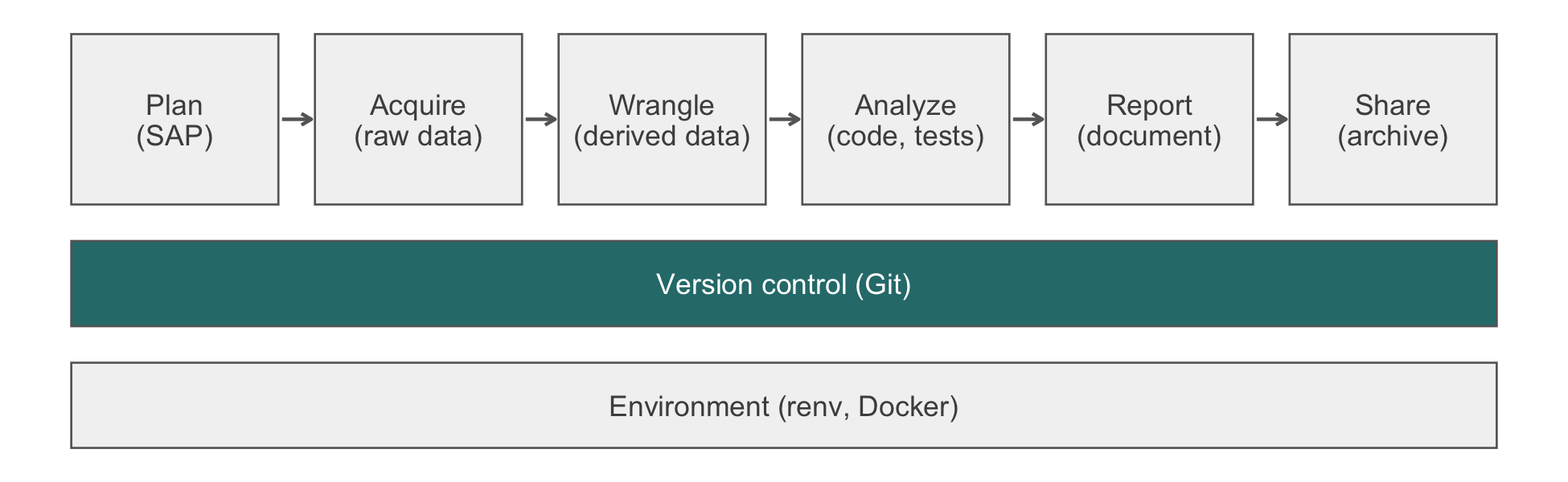
8 Git for Teams
You tighten the blood-pressure exclusions in a cohort script on your branch, and the cohort has 1,891 patients. A colleague, on her own branch, edits the same filter for a reason of her own, and her cohort has 1,872. Both counts are right, and both branches pass their checks. Once the two are merged, the cohort has 1,865 patients. Neither of you has seen that number, and nobody has checked it. Git can tell you that two people edited the same lines. It cannot tell you what the combination means for the analysis. This chapter covers the mechanics of sharing a repository. It also covers the review practices that make the combined result somebody’s deliberate decision.
Given enough eyeballs, all bugs are shallow.
Eric S. Raymond, The Cathedral and the Bazaar (1999)
NoteIn this chapter
Reading time. About 30 minutes.
You’ll need. Chapter 7 for commits, branches, merges, and tags, and a GitHub account with the gh command-line tool for the pull-request steps. Git commands run in a shell, so they are display-only; the exercises build throwaway repositories, and each solution gives the output Git printed when they were run. The R code that counts the chapter’s synthetic cohort uses:
You’ll be able to.
- Fetch before you integrate, and predict the history a merge or a rebase produces.
- Work through feature branches and pull requests, and protect
mainso that unreviewed changes cannot be merged. - Resolve a merge conflict in analysis code so that both intents survive, and confirm the result by its row count.
- Review an analysis diff for the changes a test suite does not catch, and find the commit that changed a result with
git bisect.
Outline.
NoteSkip ahead?
If these answers come quickly, skip to the next chapter. The answers are in Section 8.11.
- Your collaborator has pushed three commits to
mainsince you last pulled, and you have two local commits of your own. What doesgit pullactually do, and what are the two shapes the resulting history can take? - What is a merge conflict, and why is the right resolution of a conflict in analysis code almost never ‘take mine’ or ‘take theirs’?
- Why does a pull request improve on pushing directly to
main, even on a team of two who trust each other completely?
8.1 Remotes, fetch, and the two shapes of history
The mechanics of Git largely do not depend on the number of people using them. The commit is still a snapshot, the branch is still a movable pointer, and the tag is still fixed. What changes when a second person joins is what the repository is for. It becomes the record of what the team did, and the team must be able to reconstruct the analysis from it. Three consequences organize this chapter. First, two people editing one file will eventually collide (Section 8.3). Second, the history becomes something a colleague reads, so a careless commit message becomes a shared cost. Third, a change to the analysis now arrives from someone else, so someone must look at it before it becomes the analysis of record (Section 8.4).
A remote is a copy of the repository somewhere else, usually on GitHub, conventionally named origin. Your local repository caches the remote’s state in a remote-tracking branch called origin/main, which is only as fresh as your last fetch.
git fetch origin        # update origin/main; touch nothing else
git status              # 'behind by 3 commits' now means something
git log --oneline main..origin/main    # what they did
git log --oneline origin/main..main    # what I did
Of all the network operations in Git, git fetch is the one that cannot surprise you. It updates your picture of the remote and leaves your own work untouched. Form the habit of fetching first and looking, rather than pulling and finding out.
When you and a collaborator have both committed, the two histories have diverged. They must be reconciled, in one of two ways (Table 8.1).
| Merge | Rebase | |
|---|---|---|
| Command | git merge origin/main |
git rebase origin/main |
| What it does | Creates a new commit with two parents, one from each line of work | Replays your commits, one at a time, on top of theirs |
| The history | A true record: two lines existed in parallel and were joined | Linear: reads as though you had started from their latest state |
| Use it for | Integrating a completed branch | Your own unpushed work |
| Never | (no restriction) | On commits that someone else has pulled |
git pull is a fetch followed by one of these, chosen by configuration. That ambiguity is why it is a poor command to type without thinking. Configure it explicitly once:
git config --global pull.rebase true # or false, but chooseFor a small analysis team, a workable default is to rebase on pull for your own unpushed work and to merge when integrating a completed branch. Your local history stays clean, and the integration of a finished piece of work is recorded as the event it was. One rule is absolute. Every Git tutorial states it, and every team eventually violates it: never rebase commits that someone else has pulled. Rewriting shared history forces everyone downstream to reconcile a history that no longer matches theirs, and the recovery is tedious.
ImportantLLM prompt
Recovering a shared branch is where a model’s first suggestion can destroy a colleague’s work. State the situation and forbid the rewrite.
Context. I pushed a commit to the shared branch
mainthat [deletedR/sensitivity.Rby mistake], and my colleague may already have pulled it. Below aregit status,git log --oneline --graph -10, and the output ofgit log --oneline origin/main..mainandgit log --oneline main..origin/mainafter a fetch.Constraints. Do not propose
git push --force, agit resetof any pushed commit, or anything else that rewrites history on the remote. Prefergit revert. If you believe a rewrite is unavoidable, say why, and use--force-with-lease.Criteria. After your commands,
git log origin/mainstill contains every commit it contained before, plus new ones, andgit statusreports thatmainis up to date withorigin/main. Explain each command before I run it.
Failure mode. The suggestion contains git push --force. On a shared branch a force push discards commits that your colleagues may already have pulled. It is the one operation in this chapter that can lose another person’s work. git push --force-with-lease is the safer form, because it refuses when the remote has moved since you last fetched. (An IDE, or integrated development environment, that fetches in the background can defeat that check.) Better still is git revert, which undoes a commit by adding a new one and rewrites nothing. Check. Before any history-altering command on a shared branch, ask a simpler question. Has anyone else pulled this? If the answer is yes or unknown, revert rather than rewrite, and compare git log --oneline origin/main before and after. Logs hold commit messages and file names, not data, so they may go to any approved tool. Read the messages for identifiers first (Section 12.3).
NoteCheck
Question. git status says your branch is up to date with origin/main. Does that mean nobody has pushed since you started work?
Answer. No. git status compares your branch with your cached copy of the remote, which changes only when you fetch. If you have not fetched since this morning, ‘up to date’ means up to date with this morning. Run git fetch first, then git status, or ask the server directly with git ls-remote origin main.
8.2 Feature branches and pull requests
The workflow that scales from two statisticians to twenty is the one used across open-source software. Figure 8.2 shows its shape. Work happens on a short-lived branch named for what it does. When it is ready, it is proposed for inclusion through a pull request, which is a request that someone else look at it. CI (continuous integration, Section 27.9) runs against the proposed merge. A human reviews. Only then does it join the analysis of record.
flowchart TD
  A["create feature branch"] --> B["commit, push"]
  B --> C["open pull request"]
  C --> D["CI checks and colleague review"]
  D --> E{"both pass?"}
  E -->|"no"| B
  E -->|"yes"| F["merge to main"]
main directly: it arrives through a pull request that CI has checked and a colleague has read. The branch is short-lived and is deleted once merged.
In commands:
# 1. branch from the current main
git switch main
git pull
git switch -c sensitivity-mnar

# 2. work, commit, push the branch
git add R/sensitivity.R
git commit -m "Add delta-adjustment sensitivity under MNAR"
git push -u origin sensitivity-mnar

# 3. open the pull request
gh pr create --fill --reviewer colleague-username

# 4. after review and a green check
gh pr merge --squash --delete-branch
The --squash flag collapses the branch’s commits into one on main. For an analysis repository this is usually right. The fifteen commits of a working afternoon (‘fix typo’, ‘actually fix typo’) are noise, and what main should record is the one logical change. Reserve a true merge for branches whose internal commits are each meaningful.
Three properties of the workflow are the reasons to adopt it, rather than pushing to main and hoping. First, nothing unreviewed becomes the analysis, because a human must approve the pull request. Second, CI checks the proposal. The workflow of Section 27.9 restores renv, runs the tests, and renders the report. It answers ‘does this change break the analysis’ before the change is merged. Third, the branch holds one piece of work. Six months later, the pull request that merged sensitivity-mnar is a small, self-contained record of what was added, why, and what the reviewer asked.
8.2.1 Protecting main
The main branch is the version of the analysis you would defend. Anything that has not been reviewed and has not passed CI is not that version. The workflow is a convention until the repository enforces it. On GitHub, in the repository’s settings, add a branch protection rule or a ruleset for main. It should require a pull request before merging, require the status check from Section 27.9 to pass, and forbid force pushes. Three caveats apply as of this writing, since GitHub moves these settings between plans and pages from time to time. First, repository administrators can bypass a rule unless you also choose the option that applies it to them. Second, on GitHub’s free plan, rules are enforced on public repositories but not on private ones, which need a paid or organization plan. Third, the newer rulesets page offers the same protections under different names. On a team of one this is unnecessary. On a team of two it is the cheapest insurance available. The failure it prevents (a hurried Friday push straight to main that breaks the render and is discovered on Monday) is the one that actually happens.
8.2.2 Exercises
- In a repository of your own that GitHub enforces rules on (a public one, or a private one on a paid or organization plan), protect
main: require a pull request, require a status check, forbid force pushes, and apply the rule to administrators. Then try to push a commit directly tomain. What happens?
NoteSolution
The push is rejected. Git prints the remote’s error, which names the protected branch and the rule that blocked it, and main on GitHub is unchanged (git ls-remote origin main still prints the old hash). If the push succeeds, one of the caveats above applies. Either the rule exempts administrators, or the plan does not enforce rules on a private repository. Push the commit to a branch instead and open a pull request. gh pr checks then shows the required status check.
NoteCheck
Question. You and one colleague, who is careful and whom you trust, are the only contributors. Why not simply agree to be careful and push to main?
Answer. Because the protection is against the absence of a second reader. Pushing to main means the analysis of record changed and nobody looked. The pull request costs about ninety seconds and buys three things you cannot get otherwise. These are a second pair of eyes on a statistical change, a CI run against the proposed state rather than the merged one, and a durable written record of why the change was made, attached to the change itself. The ‘we are careful’ argument also fails for a structural reason. You are guarding against more than carelessness, your colleague’s or your own. You are guarding against two correct changes that are wrong together.
8.3 Merge conflicts
A conflict occurs when two commits change the same region of the same file and Git, unable to decide which of the two changes to keep, declines to guess. It writes markers into the file and stops. Suppose that you and a colleague have each edited the same filter in a cohort-construction script, in which sbp and dbp are systolic and diastolic blood pressure:
analytic <- visits |>
  filter(
<<<<<<< HEAD
    sbp <= 250, dbp <= 150,
=======
    sbp >= 50, sbp <= 220,
>>>>>>> origin/main
    !is.na(outcome)
  )
The region above ======= is what you have. The region below is what arrived. The marker >>>>>>> names its source. Your job is to edit the file so that it says what the analysis should say, and to delete all three marker lines.
Read a merge conflict as two statements about the analysis. The tooling invites you to pick a winner. Yours drops implausibly high systolic and diastolic pressures. Theirs adds a lower bound on systolic pressure and tightens its upper bound from 250 to 220. Two of these three changes are not alternatives at all. The diastolic ceiling and the systolic floor are halves of a single decision that the two of you reached independently, and both belong in the result. The third, the systolic ceiling, is a genuine disagreement that no merge can settle. The following resolution preserves both intents. It keeps the ceiling the analysis plan specifies (here 250) until the disagreement is resolved:
It matches neither side, which is the sign that it was written rather than chosen. Send a message to your colleague asking why 220, because one of you has a reason and the other should hear it. The conflict surfaced a substantive disagreement about an exclusion criterion that would otherwise have been settled silently by whoever pushed last.
8.3.1 What the resolution does to the cohort
The cohort in this chapter is synthetic. It has 2,000 patients, generated in the chapter’s source with a fixed seed, some with implausible pressures and some with a missing outcome. Counting it under each version of the filter shows why the merged count needs its own check.
library(dplyr)

with_outcome <- filter(cohort_raw, !is.na(outcome))
tibble(
  version = c("main before either branch", "Your branch",
              "Her branch", "Resolved"),
  filter = c("sbp <= 250", "sbp <= 250, dbp <= 150",
             "sbp >= 50, sbp <= 220",
             "sbp >= 50, sbp <= 250, dbp <= 150"),
  patients = c(
    nrow(filter(with_outcome, sbp <= 250)),
    nrow(filter(with_outcome, sbp <= 250, dbp <= 150)),
    nrow(filter(with_outcome, sbp >= 50, sbp <= 220)),
    nrow(filter(with_outcome, sbp >= 50, sbp <= 250, dbp <= 150))
  )
) |>
knitr::kable()| version | filter | patients |
|---|---|---|
| main before either branch | sbp <= 250 | 1914 |
| Your branch | sbp <= 250, dbp <= 150 | 1891 |
| Her branch | sbp >= 50, sbp <= 220 | 1872 |
| Resolved | sbp >= 50, sbp <= 250, dbp <= 150 | 1865 |
Relative to your branch, the resolution loses the patients below the systolic floor. Relative to hers, it gains those with systolic pressure from 221 to 250 and a diastolic pressure within the ceiling, and loses those she kept whose diastolic pressure exceeds 150. You should be able to account for both differences before you commit the resolution.
TipVerification
Before concluding a merge, confirm that no markers remain and that the merged analysis gives the count you can explain:
git grep -n -e '<<<<<<<' -e '>>>>>>>'   # no output: no markers
Rscript -e 'source("R/cohort.R"); nrow(analytic)'
Compare the count with both branches’ counts and account for each difference, as above. A count that equals one side’s exactly after a conflict in a filter usually means that side was chosen, not merged.
The mechanics around the edit:
git status                    # which files are conflicted
# ... edit each file, remove all markers ...
git add R/cohort.R            # mark this file resolved
git commit                    # conclude the merge

git merge --abort             # or: back out, think, try again
git merge --abort returns you to the state before the merge began and is the right move whenever the conflict is larger than you expected. There is no penalty for backing out and approaching it again with the diff in front of you.
8.3.2 Conflicts in generated files
A conflict in a hand-written R script is a genuine disagreement and deserves a human. A conflict in a file that a program writes is different. Resolve it by regenerating the file, never by editing it. A conflict in renv.lock looks like a JSON (JavaScript Object Notation) merge failure, but it is a real dependency disagreement. Decide which dependency state you want and take that side’s lockfile. Then rebuild from it with renv::restore(), reinstall anything of yours that is genuinely still needed, and run renv::snapshot() (Chapter 9 explains the three verbs).
WarningPitfall
Under a rebase, --theirs is your own work. Taking one side of a conflicted file wholesale is usually written git checkout --theirs <file>. The meaning of --theirs depends on the operation. During a merge it is the branch you are merging in (here origin/main). During a rebase, including the rebase that git pull performs once pull.rebase is true as recommended above, the roles are reversed. --ours is the upstream you are replaying onto, and --theirs is your own commit. The command succeeds either way, and the file looks plausible either way. To avoid guessing, name the commit instead of the side: git checkout origin/main -- renv.lock takes the version on origin/main in either case.
8.3.3 The conflicts that should never happen
Most conflicts a research team experiences are self-inflicted. They are caused by committing files that are outputs rather than sources. Consider a rendered paper.html, a _freeze/ cache, a figures/*.png, or an .Rproj.user/ directory. Each of these changes on every render, on every machine, and each will keep producing conflicts that mean nothing. The remedy is a .gitignore that keeps them out of the repository:
# outputs and caches
*.html
*.pdf
/_book/
/figures/
.Rproj.user/
.Rhistory
.RData

# renv library (the lockfile is committed; the library is not)
renv/library/
renv/staging/
Chapter 23 argues for committing _freeze/ so that collaborators and CI need not re-run expensive chunks. That argument stands, and it is in genuine tension with this one. Resolve it by deciding as a team. One option is to commit _freeze/ and accept that the person who renders last regenerates it (and to resolve any conflict in it by regenerating, per the rule above). The other is to leave it out and let CI bear the cost. Both are defensible. Not deciding is what produces the weekly conflict nobody understands.
Two kinds of file repay a .gitattributes entry, which tells Git how to treat them:
*.rds binary
*.qmd text eol=lf
You may see renv.lock merge=ours recommended for the lockfile. Leave it out. Git defines no ours merge driver, so on its own the line does nothing and the lockfile still conflicts. Once someone also runs git config merge.ours.driver true, Git silently keeps your lockfile and discards your collaborator’s on every merge. There is then no conflict to prompt the regeneration described above. That is picking a side wholesale, without the decision.
Without the line-ending declaration, a team that mixes Windows and macOS machines will eventually produce a diff in which every line of a file has changed. No review is possible through that noise (Chapter 5 shows what a carriage return looks like at the byte level).
8.3.4 Exercises
- Plant the chapter’s conflict in a throwaway repository. In an empty directory, run the commands below, which define a small function that rewrites
R/cohort.Rwith a given filter line. Then, on a branchdbp-ceiling, callwrite_cohort 'sbp <= 250, dbp <= 150,'and commit; return tomain, create a branchsbp-range, callwrite_cohort 'sbp >= 50, sbp <= 220,'and commit; mergesbp-rangeintomain; switch todbp-ceilingand rungit merge main. (SAP, in the first commit message, is the statistical analysis plan.) What does the merge print, what doesgit status --shortshow, and what doesRscript R/cohort.Rprint on each branch and after you resolve the conflict as this section does?
git init -b main
printf '%s\n' 'id,sbp,dbp,outcome' '1,120,80,0' '2,135,85,1' \
  '3,140,90,0' '4,260,100,1' '5,230,95,0' '6,240,160,1' \
  '7,45,30,0' '8,150,155,0' '9,125,82,' '10,110,70,1' \
  '11,225,100,0' > visits.csv
mkdir R
write_cohort() {
  printf '%s\n' 'suppressPackageStartupMessages(library(dplyr))' \
    'visits <- read.csv("visits.csv")' \
    'analytic <- visits |>' '  filter(' "    $1" \
    '    !is.na(outcome)' '  )' 'nrow(analytic)' > R/cohort.R
}
write_cohort 'sbp <= 250,'
git add .
git commit -m 'Build cohort with the SAP exclusions'
NoteSolution
The merge of sbp-range into main is a fast-forward. The merge of main into dbp-ceiling prints:
Auto-merging R/cohort.R
CONFLICT (content): Merge conflict in R/cohort.R
Automatic merge failed; fix conflicts and then commit the result.
git status --short prints UU R/cohort.R, and the file holds the conflict shown at the start of this section, with >>>>>>> main as the last marker. Resolve it with write_cohort 'sbp >= 50, sbp <= 250, dbp <= 150,', then git add R/cohort.R and git commit --no-edit. The counts, which Rscript R/cohort.R prints as [1] 9 and so on, are computed here from the same eleven rows:
toy <- read.csv(text = paste(
  "id,sbp,dbp,outcome", "1,120,80,0", "2,135,85,1", "3,140,90,0",
  "4,260,100,1", "5,230,95,0", "6,240,160,1", "7,45,30,0",
  "8,150,155,0", "9,125,82,", "10,110,70,1", "11,225,100,0",
  sep = "\n"))
c(main_before  = nrow(filter(toy, sbp <= 250, !is.na(outcome))),
  dbp_ceiling  = nrow(filter(toy, sbp <= 250, dbp <= 150,
                             !is.na(outcome))),
  sbp_range    = nrow(filter(toy, sbp >= 50, sbp <= 220,
                             !is.na(outcome))),
  resolved     = nrow(filter(toy, sbp >= 50, sbp <= 250, dbp <= 150,
                             !is.na(outcome))))
#> main_before dbp_ceiling   sbp_range    resolved
#>           9           7           5           6
Relative to dbp-ceiling, the resolution loses patient 7 (systolic 45). Relative to sbp-range, it gains patients 5 and 11 (systolic 230 and 225) and loses patient 8 (diastolic 155). git log --oneline --graph then shows the two lines of work meeting at Merge branch 'main' into dbp-ceiling.
NoteCheck
Question. Two statisticians edit the cleaning script. One tightens the plausible blood-pressure range; the other adds an exclusion for missing outcomes, in a different part of the file. Git merges both without a conflict. Is that the right outcome?
Answer. Git did the right thing. Whether the analysis is right is a question Git cannot answer, and this is the limit of what version control gives a team. A merge conflict is a textual condition, in which two branches changed overlapping lines. These edits did not overlap, so the merge is clean. Both changes are now in effect together, and very likely nobody tested that combination. The analytic cohort is now smaller than either statistician intended, and each will assume the count they saw on their own branch.
This is the semantic-conflict case. It is an argument for the pull request, since Git alone does not help. A human reading the diff asks what the combined effect on the cohort is, and a merge algorithm cannot. It is also the argument for the integration test of Chapter 27. An assertion on the final row count, or on the number of exclusions at each step, fails on the merged code even though neither change failed alone. State the row count in the pull request description. Two pull requests that each say ‘n drops from 500 to 480’ should make a reviewer ask what happens when both are merged.
8.4 Reviewing an analysis diff
A software engineer reviewing a diff asks whether it is correct, tested, and clear. A statistician reviewing an analysis diff asks those questions too. The statistician then asks questions that matter more, which a passing test suite does not answer. The review is where the statistical judgment of Chapter 3 meets the infrastructure of this chapter. In our view, it is the most valuable thing a second reader does on a research compendium. Table 8.3 is the checklist, in rough order of how often each question catches something.
| Question | Why it matters | In the diff, look for |
|---|---|---|
| Did the denominator change? | A new filter anywhere upstream changes the sample size of everything downstream | A new or edited filter(): how many rows does it remove, is that number reported, and does the analysis plan sanction the exclusion? |
| Did the join cardinality change? | A join can silently multiply or drop rows (Chapter 18) | A new or changed join without a relationship argument, which is incomplete |
| Is the seed still set, and in the same place? | Moving set.seed(), or adding a random step above it, changes every random draw downstream; the diff will not say so |
A moved set.seed(), or a new sample(), rnorm(), or resampling call above it |
| Is this analysis pre-specified? | A new model, covariate, or subgroup is either in the analysis plan (Chapter 26) or exploratory, and the code should say which | New terms in a model formula, new subgroup filters |
| Are the numbers in the prose still computed? | A changed model with a typed estimate in the text makes the manuscript wrong (Chapter 23) | A changed model and an unchanged number in a .qmd
|
| Does the test suite exercise the change? | A new branch in the cleaning logic with no test will break silently later (Chapter 27) | New if or case_when() branches with no new test |
Leave the review as comments on the pull request, on the specific lines. The conversation is then attached to the change for good, which is worth more than the same conversation held at a desk.
8.4.1 Exercises
- Review this diff against Table 8.3. Which checklist questions does it raise, and is there one change that looks risky but is not?
--- a/R/analysis.R
+++ b/R/analysis.R
@@ -1,13 +1,15 @@
 library(dplyr)
-set.seed(20260423)

 cohort <- readr::read_csv("data/derived/cohort.csv") |>
-  filter(!is.na(outcome))
+  filter(!is.na(outcome), age >= 18)
+
+cohort <- cohort |>
+  left_join(labs_baseline, by = "patient_id")

+set.seed(20260423)
 boot <- replicate(2000, {
-  fit <- glm(outcome ~ arm, family = binomial,
+  fit <- glm(outcome ~ arm + egfr, family = binomial,
              data = slice_sample(cohort, prop = 1, replace = TRUE))
   coef(fit)[["armHome health"]]
 })
NoteSolution
Three questions apply. Denominator: age >= 18 is a new exclusion. Ask how many rows it removes, whether the number is reported, and whether the analysis plan sanctions it. (In a trial that enrolled only adults it should remove none, and a non-zero count is itself a finding.) Join cardinality: the left_join() to labs_baseline has no relationship argument. If a patient has two baseline lab rows, the cohort multiplies, and every bootstrap sample with it. Ask for relationship = "many-to-one" and a row count before and after. Pre-specification: egfr is a new covariate in the primary model. It is either in the plan or it is an exploratory analysis, and the code should say which.
The moved set.seed() looks risky but, here, is not. Nothing between its old and new positions draws a random number (reading a file, filtering, and joining do not), so the bootstrap draws are unchanged. Verify rather than assume. Run the old and new versions on the same data with the join and filter removed, and compare the first few bootstrap estimates. A review that flags everything unusual teaches the author to ignore the review. Say which changes matter and why.
NoteCheck
Question. A pull request changes only R/models.R, its tests pass, and the diff is small and idiomatic. What is the one question from Table 8.3 that a reviewer who knows no statistics would never ask?
Answer. Whether the analysis is pre-specified. A careful engineer might come across everything else on the list (a changed row count, a new join, a moved seed). However, whether a new covariate or subgroup appears in the analysis plan can be answered only by someone who has read the plan and knows why it matters.
8.5 Attribution: blame and bisect
When a number changes and nobody knows why, two commands answer the question. git blame reports, for every line of a file, the commit that last changed it:
git blame -L 40,60 R/cohort.RThe -L flag restricts the output to a line range, which is almost always what you want. The command is poorly named. Its use is to trace the history of a line, not to assign fault. The commit hash it reports leads to the message. If the advice of Chapter 7 about messages that explain why was followed, the message leads to the reason.
git bisect finds the commit that changed a result, by binary search over the history. You name a commit where the result was right and one where it was wrong. It then checks out the midpoint and asks you:
git bisect start
git bisect bad                 # current state is wrong
git bisect good v1.0-submitted # this tag was right
# Git checks out a midpoint; you re-run and judge:
git bisect good                # or: git bisect bad
# ... repeat about log2(n) times ...
# Git names the first bad commit.
git bisect reset
Over a hundred commits this converges in about seven steps. It can also be automated, and that is where it becomes genuinely useful on an analysis repository:
git bisect run Rscript -e 'stopifnot(abs(get_estimate() - 0.62) < 0.01)'Git runs the command at each midpoint and uses its exit status to decide. The prerequisite is atomic commits (Chapter 7). Over a history of ‘Tuesday’s work’ commits, bisect will correctly identify the day the result changed. It will tell you nothing useful about why.
8.5.1 Exercises
- In a new throwaway repository, copy in the
visits.csvfrom Exercise 2 and commitR/estimate.R, which computes the event rate among patients withsbp <= 250; tag that commitv1.0-submitted. Then make four more commits: add a README; change the threshold tosbp <= 230with the message ‘Tidy the exclusion code’; extend the README; add a comment toR/estimate.R. Usegit bisect runwith a one-line assertion to find the commit that changed the estimate. How many commits does Git test, and what does it print?
printf '%s\n' 'visits <- read.csv("visits.csv")' \
  'keep <- visits$sbp <= 250 & !is.na(visits$outcome)' \
  'est <- mean(visits$outcome[keep])' > R/estimate.R
NoteSolution
The estimate at the tag and after the change, from the same rows:
The assertion is therefore git bisect run Rscript -e 'source("R/estimate.R"); stopifnot(round(est, 3) == 0.333)', after git bisect start, git bisect bad, and git bisect good v1.0-submitted. With four commits after the tag, Git tests two of them and prints (your hash differs):
f6b1f7c2f0b0ce6fd12b33e16905f5e688dabe96 is the first 'bad' commit
commit f6b1f7c2f0b0ce6fd12b33e16905f5e688dabe96
Author: Reader <reader@example.com>

    Tidy the exclusion code
followed by the commit’s file summary and bisect found first 'bad' commit. Run git bisect reset to return to main. The message ‘Tidy the exclusion code’ is the lesson. A commit described as a refactor changed a reported number, and only a test of the number found it.
NoteCheck
Question. git bisect run reports that a merge commit is the first bad commit, and each of the two branches it joined is good on its own. What happened?
Answer. A semantic conflict. Two changes, each correct alone, are wrong together, as in the clean merge of the Check in Section 8.3. Bisect has located the moment the combination first existed, which is the right answer. The fix is not a revert of either change. It is a decision, made with both authors, about how the two changes should combine.
8.6 Worked example: two statisticians, one compendium
You and a colleague are analyzing the readmissions cohort of Table 8.2. You take the primary model, and she takes the missing-data sensitivity analysis. Both of you touch the cohort-construction script.
# Monday. Both of you start from the same main.
git switch main && git pull

# You branch for the primary model.
git switch -c primary-model
# (edit R/model.R; also tighten an exclusion in R/cohort.R)
git add R/model.R R/cohort.R
git commit -m "Fit primary logistic model; exclude SBP > 250, DBP > 150"
git push -u origin primary-model
gh pr create --fill --reviewer colleague
Meanwhile she has branched mnar-sensitivity from the same main, and has also edited R/cohort.R, adding a lower bound on systolic pressure and lowering its ceiling to 220. Her pull request is reviewed and merged first. Yours is now out of date, and GitHub says so.
# Bring main into your branch and deal with the conflict.
git switch primary-model
git fetch origin
git merge origin/main
# CONFLICT (content): Merge conflict in R/cohort.R
You open R/cohort.R and find the conflict shown in Section 8.3. Two of the three edits are complementary rather than competing. You keep her systolic floor and your diastolic ceiling, and you keep the plan’s systolic ceiling of 250. You then leave a comment on her merged pull request asking where 220 came from.
git add R/cohort.R
git commit                    # concludes the merge
git push
CI re-runs against the updated branch, and it fails. The combined cohort now has 1,865 rows, but a test in inst/tinytest/test-cohort.R, written on your branch, asserted 1,891. You account for the difference (Table 8.2), update the assertion, note the new denominator in the manuscript, and push again. The check passes. Your colleague reviews the diff and asks whether the exclusion is in the analysis plan. It is, as an amendment tagged before unblinding, and she merges.
gh pr merge --squash --delete-branch
git switch main && git pull
The history of main now contains two squashed commits, each with a pull request behind it recording what changed, why, and what the reviewer asked. Six months later a reviewer asks why the denominator is 1,865 and not the 1,914 in the protocol’s original exclusions. The answer takes ninety seconds to find.
TipVerification
After the merge, confirm that main is what you reviewed and that the count on main is the one the manuscript reports:
git switch main && git pull
git log --oneline --graph -5
Rscript -e 'source("R/cohort.R"); nrow(analytic)'
The log shows the two squashed commits, one per pull request, and the count is 1,865. A different count means something landed on main that the review did not see.
NoteCheck
Question. In the worked example, why did the failing CI check help rather than hinder?
Answer. Because it turned the merged count, which neither analyst had seen, into a decision someone had to make. Without the assertion, the merge would have changed the denominator silently. The manuscript would then have reported your branch’s number for an analysis that no longer produced it. Updating the assertion is correct only after the difference is explained, which is why the example accounts for it before pushing again.
8.7 Rules of thumb
-
Habit 3: version control from day one. Nothing reaches
mainunreviewed: feature branch, pull request, green check, human reader, with branch protection to make the convention real. - Habit 8: a bug that produces a plausible number is the expensive kind. Resolve conflicts by intent, not by side, and explain the merged row count before you commit it. Regenerate, never edit, a generated file.
- Habit 5: pre-specify, then tag. Review the analysis, not only the code: denominators, joins, seeds, pre-specification, and the numbers in the prose.
8.8 Cumulative practice
-
Cumulative (uses Chapter 7). Play both analysts without GitHub. Create a bare repository to stand in for the remote (
git init --bare -b main shared.git), clone it twice (youandcolleague), and fromyoucommit and push a README. Incolleague, pull, append the lineAnalysis plan: SAP v1.0to the README, commit, and push. Inyou, appendData: HF-HOME syntheticto the README, commit, and push. What does the push print? Fetch, look, merge, and resolve so that both lines survive. -
On your own work (no key). Audit the
.gitignoreof an existing project of yours. List every tracked file that is a build product rather than a source, remove each from tracking withgit rm --cached, and confirm that the analysis still rebuilds from what remains.
NoteSolution
Your push is rejected, because the remote has a commit you do not:
 ! [rejected]        main -> main (fetch first)
error: failed to push some refs to '.../shared.git'
hint: Updates were rejected because the remote contains work that you do not
hint: have locally.
After git fetch, git status reports Your branch and 'origin/main' have diverged, and have 1 and 1 different commits each, respectively, and git log --oneline main..origin/main lists your colleague’s commit. git merge origin/main stops with CONFLICT (content): Merge conflict in README.md, because both of you appended at the same place. Keep both lines, delete the markers, git add README.md, git commit --no-edit, and push, which now succeeds. In colleague, git pull brings in the merge. The rejected push is Git protecting your colleague’s work. The fetch-and-look step is the habit of Section 8.1.
8.9 Cheat sheet
| Task | Command |
|---|---|
| See what the team did, safely |
git fetch origin; git log --oneline main..origin/main
|
Make git pull unambiguous |
git config --global pull.rebase true |
| Start a piece of work |
git switch -c <branch>; git push -u origin <branch>
|
| Propose and merge it |
gh pr create --fill --reviewer <name>; gh pr merge --squash --delete-branch
|
| Back out of a merge | git merge --abort |
| Find leftover markers | git grep -n -e '<<<<<<<' -e '>>>>>>>' |
| Take one commit’s version of a file |
git checkout origin/main -- <file> (not --theirs) |
| Undo a pushed commit |
git revert <hash> (never push --force on a shared branch) |
| Who last changed these lines | git blame -L 40,60 <file> |
| Find the commit that changed a result |
git bisect start; git bisect bad; git bisect good <tag>; git bisect run <cmd>
|
| Review an analysis diff | Table 8.3 |
8.10 Further reading
- (Bryan, 2019), the standard reference for Git in R workflows, whose chapters on collaboration cover the same ground from a different angle.
- (Chacon & Straub, 2014), chapters 3 and 5, the canonical treatment of branching and distributed workflows.
- (Slade et al., 2023) on team science, for the social half of the problem this chapter treats mechanically.
8.11 Prerequisites answers
-
git pullisgit fetchfollowed by eithergit mergeorgit rebase, depending on configuration. Fetching updates your picture of the remote (origin/main) and changes nothing else. The reconciliation then takes one of two shapes. A merge creates a commit with two parents, preserving the fact that the two lines of work were parallel. A rebase replays your two commits on top of their three, producing a linear history that reads as though you had started from their latest state. Configurepull.rebaseexplicitly so thatgit pullstops being ambiguous, and never rebase commits that someone else has already pulled. - A merge conflict occurs when two commits change the same region of the same file and Git cannot determine which change to keep. Git writes both into the file between
<<<<<<<,=======, and>>>>>>>markers and stops. In analysis code, ‘take mine’ or ‘take theirs’ is almost always wrong, because each side usually encodes a deliberate analytic decision (one collaborator added a lower bound on an exclusion criterion; the other tightened the upper bound). The correct resolution preserves both intents. The conflict has also been useful, since it surfaced a substantive disagreement that a silent last-push-wins would have buried. The exception is a conflict in a generated file (renv.lock, a rendered document, a cache), which is resolved by regenerating the file rather than editing it. - Because a pull request supplies a second reader, which trust between colleagues does not. It provides a second pair of eyes on a statistical change before it becomes the analysis of record. It provides a CI run against the proposed state rather than after the fact. It also leaves a durable written record of the reasoning, attached to the change itself. Finally, it catches the one failure mode that no amount of individual care can prevent, namely two changes that are each correct in isolation and wrong in combination.